
How to Auto-Fill PDF Forms Using Clerks AI (Step-by-Step Tutorial)
Manually typing the same details into USCIS PDFs like Form I-485 is slow and error-prone. Clerks AI lets you upload your source documents once, auto-fill new PDFs in one click.
Why Clerks AI for immigration PDFs
- One-click PDF form filling powered by your own uploads (passports, I-94, visas, client intakes)
- OCR + AI understands any language and layout
- “Ask Anything” answers questions from your files (e.g., “When was my last entrance to the US?”)
- Human Feedback Reinforcement Learning improves accuracy as you review
- Compliance-ready (HIPAA/ISO 27001/GDPR)
What you’ll need
- A free Clerks AI account, sign up now.
- Your supporting documents: e.g client intake (if you're filling on behalf of a client), passport, employment history documents, etc.
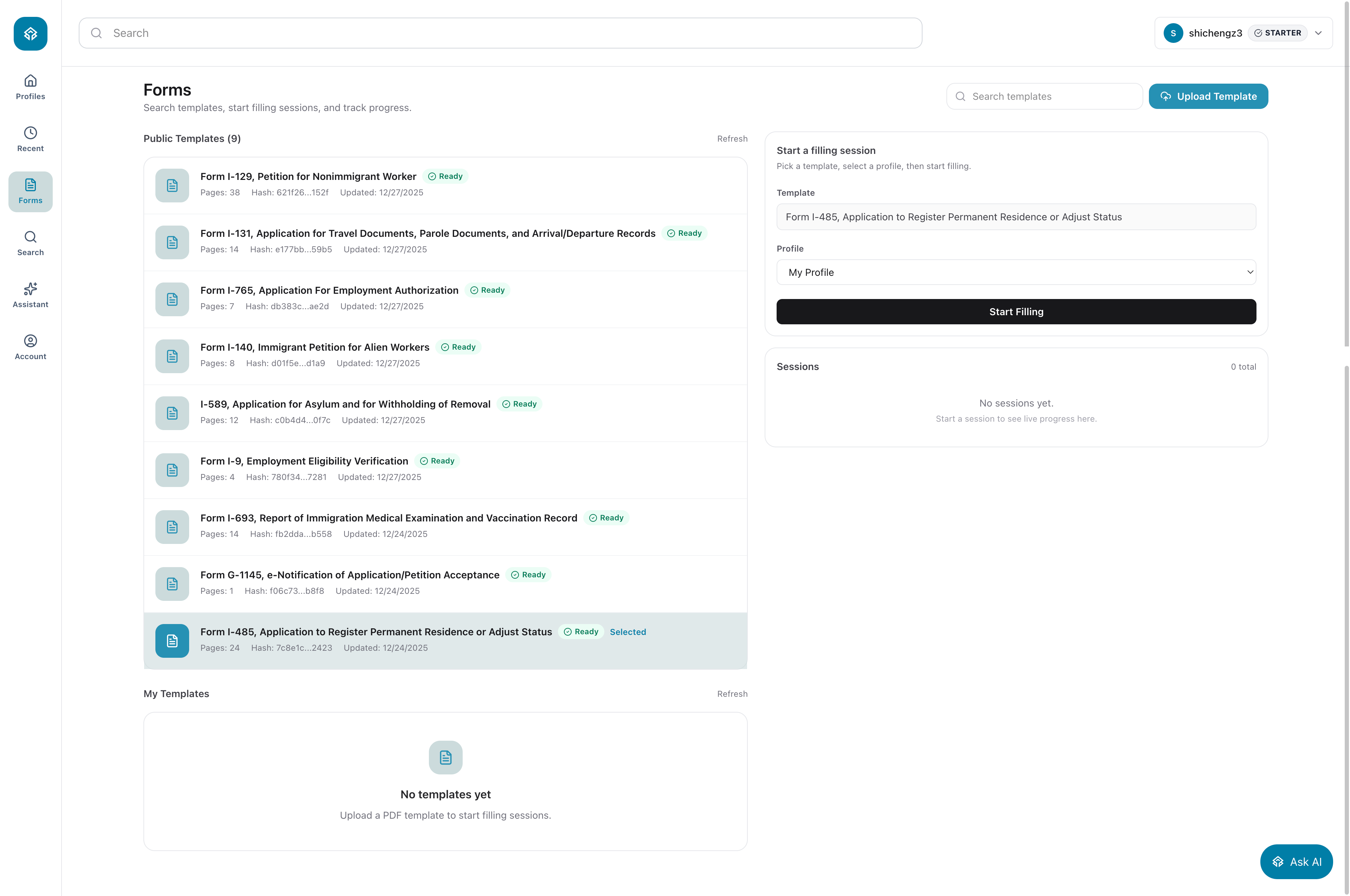
Step 1: Login to your workspace, Then Select or Upload Form Template
Navigate to Forms, select Form I-485, Application to Register Permanent Residence or Adjust Status" in Public Templates. Alternatively, you can upload your own PDF Form by clicking Upload Template, it takes a couple minutes to be ready to select and use.
Select My Profile, and click Start Filling
A Profile is used to separate different application, or different client, e.g “Green Card Application for Jose”.
Step 2: Upload your documents
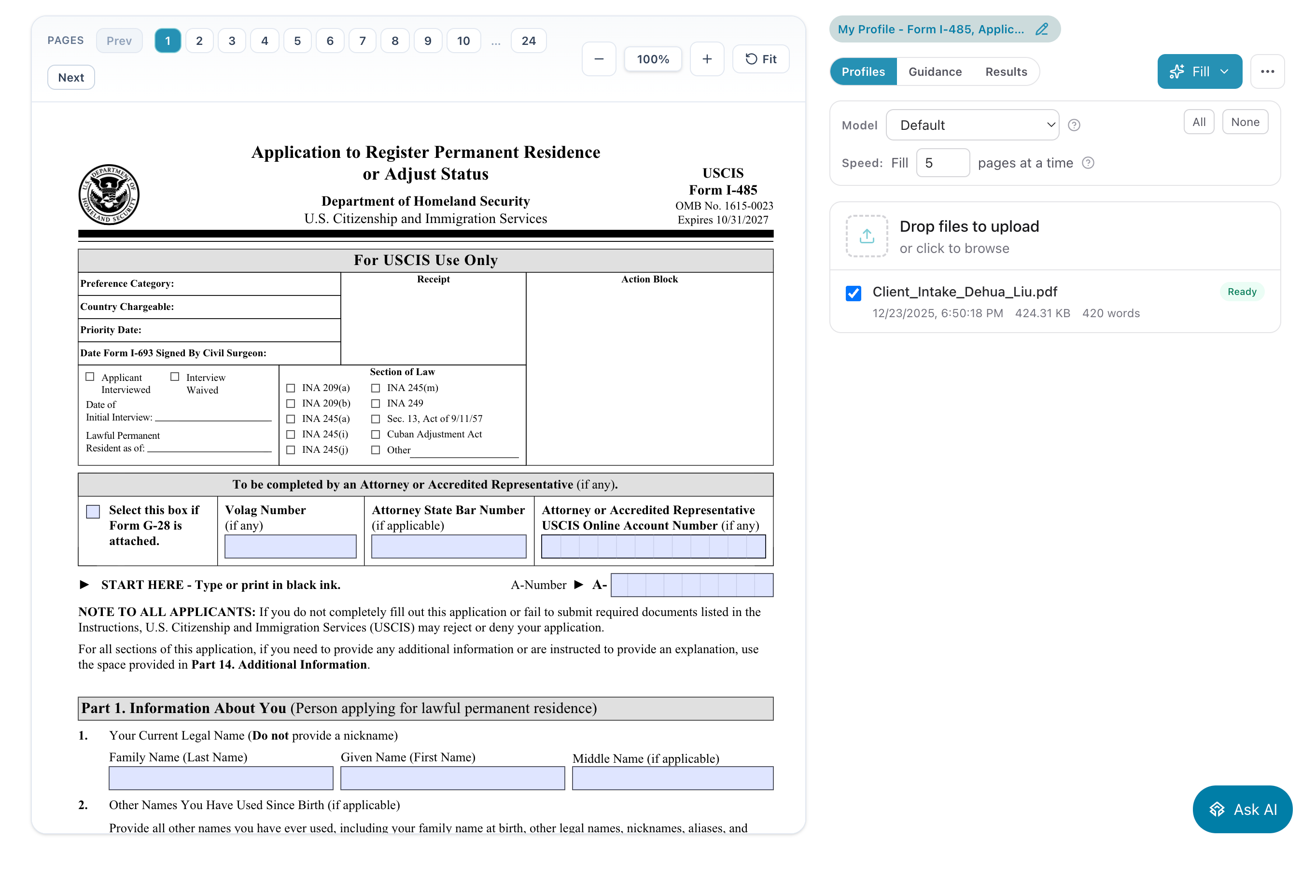
Copy paste text, or upload your documents, passport image, anything. Clerks AI ingests them with OCR and natural language understanding. Documents indexing should finish in a few minutes.
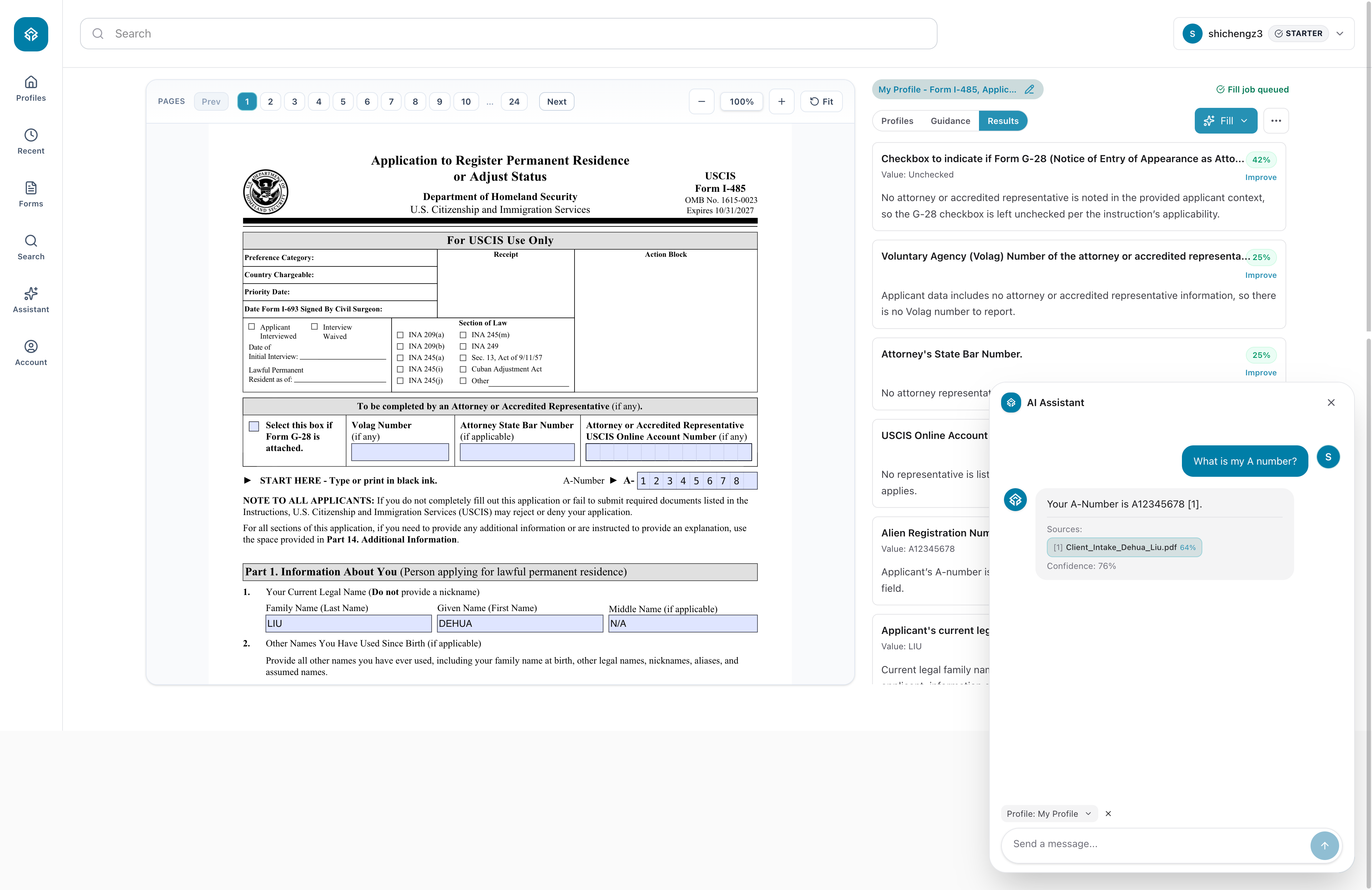
Step 3: Fill the I-485 form
Select the relevant documents, click Fill -> Page 1 button(recommended) to fill one page to get a feeling of how well it works. Once you're feeling good, click Fill -> All Pages to fill out the entire form!
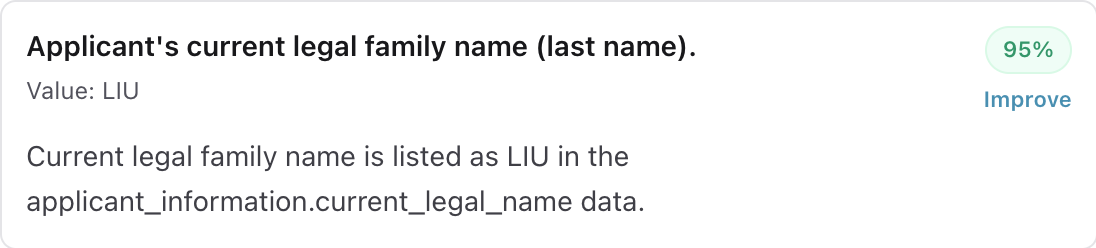
Click the Results tab to show how Clerks AI fill each field
Step 4: Review and adjust in seconds
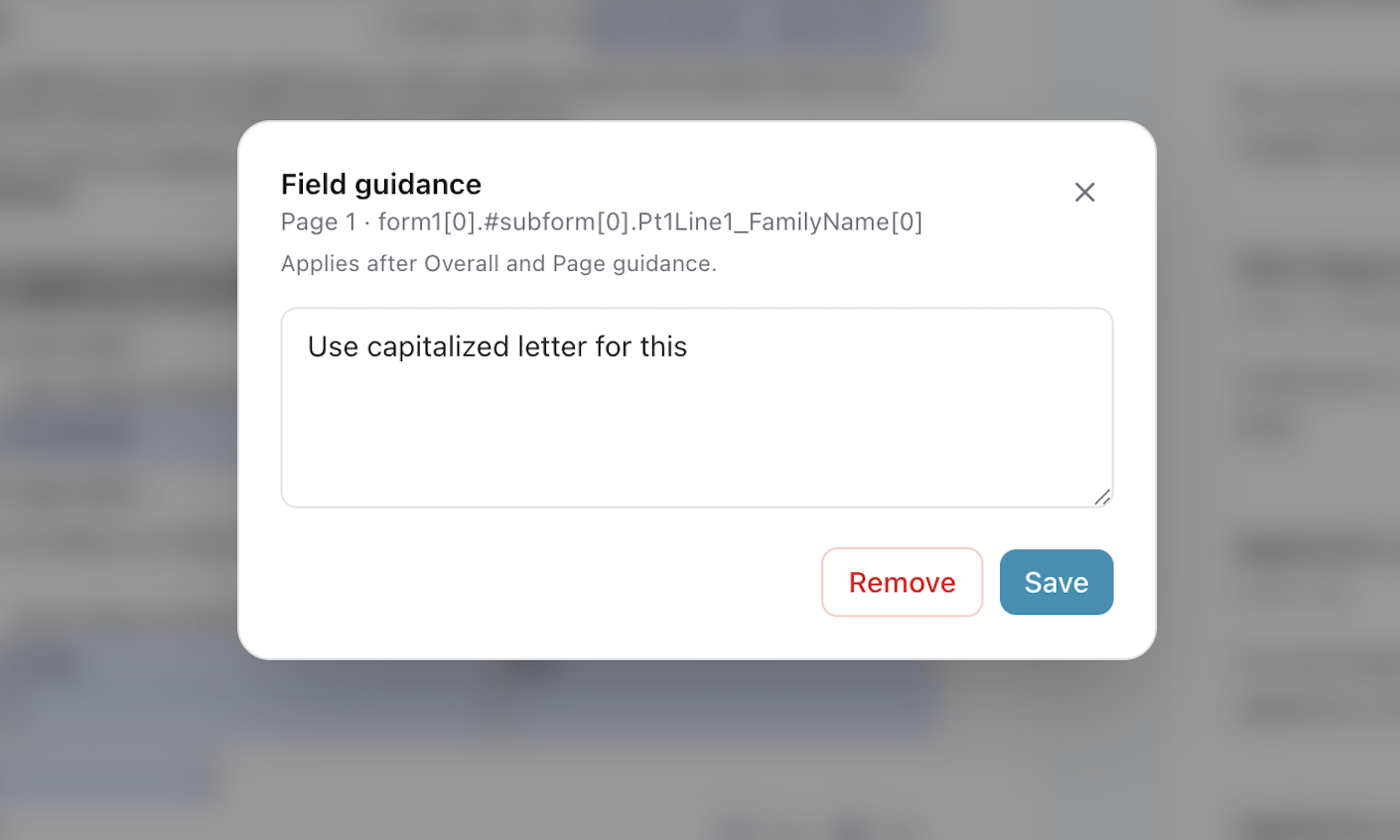
If a form field was filled incorrectly, try the "Improve" button, tell Clerks AI how to correctly fill this field instead, our Human Feedback Reinforcement Learning engine will learn and fill it correctly next time!
Need clarification? Click Ask AI icon at the bottom right, and ask “What was my A number?”, paste the answer into the relevant field.
Step 5: Save Progress and Export
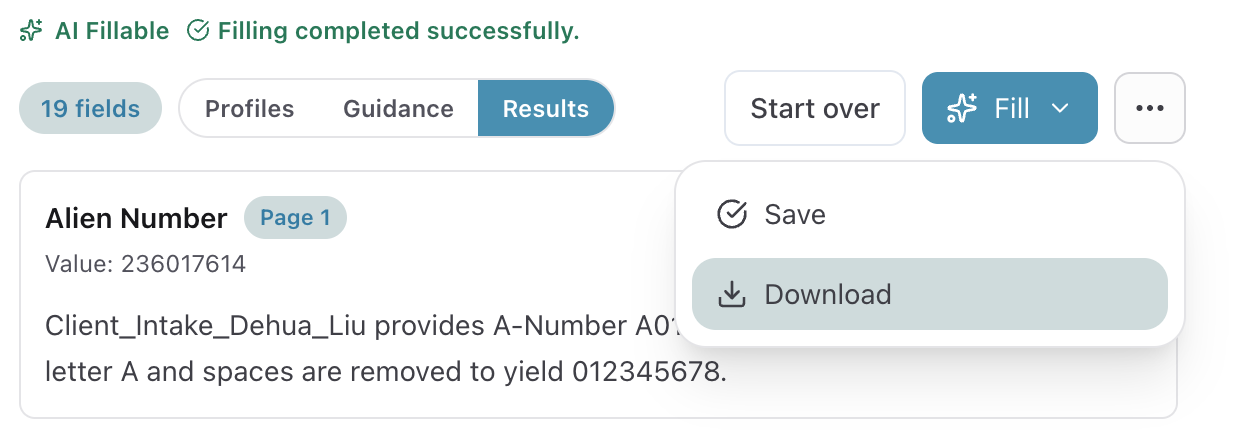
Save progress and come back any time.
Once ready, download the filled I-485 as a ready-to-submit PDF.
Ready to try it?
- Start for free and auto-fill your first I-485 today.
- Want to talk? Contact us anytime, we love to hear your questions!